


PrimePay HR software and Employer of Record reviews across G2, Capterra, and Software Advice are positive on balance. The most consistent praise of PrimePay covers its clean interface, competitive pricing, and onboarding structure, while criticism includes limited self-service, support that slows down after implementation, and payroll accuracy issues that, in documented cases, resulted in IRS letters.
In this article, you’ll find a structured breakdown of where PrimePay earns its positive ratings, where the experience breaks down, and which alternatives – both HR software and dedicated EOR providers – are worth evaluating depending on your stage, team size, and hiring geography.
Key Takeaways
- PrimePay reviewers consistently praise its ease of use, competitive modular pricing, and structured onboarding.
- Recurring criticism of PrimePay across G2, Capterra, and Trustpilot points to a growth ceiling, limited self-service, inconsistent support, and payroll tax errors leading to IRS correspondence.
- For HR software, such PrimePay’s alternatives as Rippling, ADP, and Paylocity each address specific areas: unified IT+HR automation, compliance depth, and engagement tooling.
- Dedicated EOR alternatives to PrimePay – Alcor, Deel, and Atlas HXM – cover different global hiring profiles, from multi-country scale to single-region tech team building.
- Alcor is the only EOR alternative to PrimePay built exclusively for tech product companies: it combines in-house tech recruitment, EOR, and full operational support – with no buyout fees, no hidden markups, and a model built around your case, not a preset package.
PrimePay Best Use Cases Based on Reviews
PrimePay is a US-based HCM platform (founded in 1986). Based on verified reviews, PrimePay works best for: small teams needing simple, fast payroll; budget-conscious companies that benefit from modular pricing; businesses that receive a knowledgeable, dedicated specialist during implementation; and companies hiring multiple people in a short window, where its structured onboarding module and position-based employee records reduce admin overhead.
PrimePay is a US-based Human Capital Management (HCM) platform founded in 1986. It serves over 16,000 small and mid-sized businesses and covers payroll processing, time tracking, benefits administration, compliance, and employee onboarding in one modular system. In 2021, the company acquired SyncHR and expanded into a fuller HCM suite, now backed by Aquiline Capital Partners.
One thing worth clarifying early, especially for those reading PrimePay Employer of Record reviews: PrimePay is not an EOR provider. It doesn’t support international hiring or cross-border employment. Its compliance and payroll tools are US-only, and companies looking for a global Employer of Record solution will need to look elsewhere.
Key services
- Payroll processing – automated payroll runs with multistate tax filing, direct deposit, and unlimited pay cycles.
- Time tracking & attendance – mobile clock-in/out, shift tracking, overtime calculation, and direct sync to payroll.
- Benefits administration – health insurance, 401(k) plans, COBRA administration, and open enrollment workflows.
- HRIS – centralized employee records, position-based org management, and role-based access controls.
- Employee onboarding – customizable onboarding workflows, new hire reporting, and automated profile setup.
- ATS (Applicant Tracking System) – job postings, candidate pre-screening, interview scheduling, and offer letter management.
- Expense management – basic expense tracking integrated into the payroll and HR workflow.
|
Platform ratings |
||||
|
G2 |
Capterra | Trustpilot | GetApp | Software Advice |
| 4.2/5 (97 reviews) | 4/5 (381 reviews) | 2/5 (11 reviews) | 4/5 (381 reviews) |
4/5 (381 reviews) |
The patterns in PrimePay reviews across G2, Capterra, Trustpilot, and Software Advice aren’t random. Four use cases come up repeatedly in positive appraisal – not from the platform’s marketing, but from the actual experience of businesses that found it useful. Here’s what those scenarios look like in practice.
Case #1: Easy-to-use platform
It’s Friday morning. You have 30 employees, a lean HR setup, and a payroll that needs to go out by the end of the day.
This is the scenario where PrimePay tends to earn its strongest feedback. The platform is designed to keep routine payroll tasks quick, and that comes through clearly in customer references across G2. The centralized dashboard also gets specific praise:
|
Case #2: Competitive pricing
You’re a seed-stage startup. You’re formalizing your HR setup for the first time – maybe coming off spreadsheets, maybe leaving a provider that kept raising rates without notice. The budget question comes before anything else.
PrimePay’s modular pricing structure draws direct comparisons in the G2 and Capterra testimonials. As they state, you’re not forced into a full HRIS suite from day one – you pick the services you need and add more later. For a growing company that wants payroll now and benefits administration in six months, that’s an advantage:
|
Case #3: Knowledgeable dedicated specialists
Let’s be clear upfront: the support experience in PrimePay EOR reviews is not uniform. There are real criticisms of response times and inconsistency – and we’ll cover those in the next section. But there’s a separate, equally real pattern in the customer testimonials: when users are assigned a knowledgeable account specialist, the experience is strong.
Picture the scenario. You’re mid-implementation on a new HR platform. There’s data to migrate, configurations to set up, and a payroll run due in two weeks. A dedicated specialist who knows the product and follows through makes the difference between a smooth launch and a stressful one. Several G2 users describe exactly that experience when using PrimePay:
|
Case #4: Structured onboarding process
Three offers accepted in one week. Your HR team now has to get employment documentation, benefits enrollment, and payroll setup sorted before three different start dates land in parallel. Employee onboarding has moved from a background task to an active deadline.
PrimePay’s onboarding module gets consistent mentions across Capterra and G2 for the structure it brings to this kind of situation. Multiple reviewers point to the availability of specialists across different focus areas as a practical advantage when questions come from different directions at once:
|
Where PrimePay May Fall Short According To Reviews
Based on recurring patterns across G2, Capterra, Trustpilot, and Software Advice, PrimePay has four documented limitations. First, the platform hits a functional ceiling as teams grow – reporting is rigid and customization is narrow. Second, users cannot self-serve key changes like tax exemptions or payroll adjustments without contacting PrimePay directly. Third, support quality declines after onboarding – some cases take weeks to resolve, and PrimePay routes technical support through a third party. Fourth, several reviews describe payroll tax errors resulting in IRS correspondence, and billing disputes upon cancellation.
A retrospection of the critical feedback about PrimePay across G2, Capterra, and Trustpilot reveals four recurring themes. Not isolated complaints – consistent patterns, reported across different industries and company sizes. If any of these scenarios sound familiar, they’re worth factoring into your decision.
Case #1: Limited for growing teams
You started with PrimePay at 5 employees, a single payroll structure, and no pressing complexity. It fits. A year later, your team is at 30+ people, you have multiple employment types, different pay structures across departments, and reporting needs that the basic dashboards can’t meet. What used to be quick now feels like a workaround.
This growth ceiling is the most documented pattern in the Capterra and G2 ratings for PrimePay. The same quality that makes the platform accessible – its simplicity – is what creates the limit.
|
Case #2: Restricted control and self-service
End of a pay period. You spot that a team member’s hours were logged incorrectly, or a one-time bonus needs to be added before the run closes. You go into the system to fix it. And you can’t – at least not on your own. You need to contact PrimePay, raise a request, and wait.
For engineering teams and operations leads who depend on speed and direct control, this dependency adds up fast. The lack of self-service access is a recurring friction point in reviews of PrimePay Employer of Record services on G2 and Software Advice:
|
Case #3: Slow issue resolution
You’ve been using PrimePay for a few months. Things have mostly worked. Then a payroll issue surfaces – a tax discrepancy, an integration breaking, an employee record not updating correctly. You reach out. And the experience you have now is different from the one you had during onboarding.
The customer support criticism in reviews of PrimePay is the most broadly documented issue across platforms. On G2, users note that responsiveness has declined noticeably. On Capterra, the inconsistency comes up repeatedly – some cases resolved quickly, others stretched out with no clear owner. A specific risk management concern: third-party routing. One G2 reviewer noted that PrimePay uses a third party for its training system, and technical support requests often go unanswered through that channel.
|
Case #4: Payroll and tax errors
You run a 20-person engineering team. Payroll goes out every two weeks and you’ve trusted PrimePay to handle the tax calculations, filings, and 401(k) deductions. Then a letter arrives from the IRS. Something was withheld incorrectly – and it wasn’t flagged by the system, or by anyone on the support side. Now your finance team is untangling it while trying to run the next payroll at the same time.
This one goes beyond UX friction. Several PrimePay reviews on G2 and Trustpilot describe exactly this kind of situation:
|
3 Best Alternatives to PrimePay for HR Software
There are three alternatives to PrimePay for HR software:
- Rippling unifies HR, IT, payroll, and finance on one data layer – automating device provisioning, software access, and compliance alongside payroll in 185+ countries.
- ADP offers a proven compliance infrastructure with AI-powered anomaly detection, benchmarking from 42M+ US employee records, and PEO services through ADP TotalSource.
- Paylocity combines payroll with built-in engagement tools (Employee Voice, peer recognition, Modern Workforce Index) and spend management via its Airbase integration, making it a fit for mid-market teams prioritizing culture alongside HR operations.
The three alternatives below address different points where PrimePay tends to fall short, depending on company size and what you may actually need from your provider.
Rippling
Best fit for: companies that need HR, IT, payroll, and finance operations connected through one automated system.
Key differentiator: automation-first unified platform.
Rippling is built around a single core data layer – Rippling Unity – that holds every employee record and propagates changes automatically across HR, IT, finance, and payroll. When a new hire is added, or when someone changes roles, the platform triggers downstream actions across all connected systems simultaneously, without manual handoffs between tools. This architecture is what Rippling describes as its core value.
What the model delivers:
- Global Employer of Record: Support for hiring and paying employees in 185+ countries through its EOR, with locally compliant contracts and payroll.
- IT management: Device provisioning, software access, and security policies linked directly to employment status.
- HR and compliance: Onboarding, HRIS, ATS, performance management, and benefits.
- Workflow Studio: No-code automation engine that connects HR events to downstream actions across 600+ integrated apps, including GitHub, Jira, AWS, Slack, and NetSuite.
- Spend and finance: Corporate cards, expense management, procurement, and bill pay – managed in the same platform as HR and payroll.
- Pricing: Modular; final cost depends on the product modules selected.
ADP
Best fit for: mid-size to enterprise organizations that need a proven HCM platform across multiple US states and jurisdictions, backed by an established track record in payroll accuracy.
Key differentiator: compliance infrastructure depth.
ADP operates as a single-database HCM platform – payroll, time and attendance, benefits, talent, and analytics share one data layer, with changes flowing between modules without re-entry. Its compliance engine draws on 75+ years of regulatory experience across the US and 140+ countries, and flags payroll anomalies using AI before a run is processed. ADP describes it as “an AI-powered solution built to help you deliver more, without having to do more.” Several PrimePay reviewers on G2 and Capterra specifically name ADP as the platform they moved to after experiencing recurring payroll errors and slow support resolution.
What the model delivers:
- PEO services: Co-employment support through ADP TotalSource for companies that want outsourced HR, benefits management, and employer liability coverage.
- Payroll: Continuous calculation engine with AI-powered anomaly detection before processing; multistate and multi-jurisdiction tax filing; W-2 and 1099 preparation; direct deposit.
- Compliance: Proactive regulatory alerts updated for federal, state, and local law changes; ACA tracking; certified payroll for complex wage structures; FLSA tools.
- Workforce analytics: Benchmarking reports powered by data from 42 million+ U.S. employees – covering compensation, turnover, and overtime comparisons against industry peers.
- Pricing: Tiered packages (Select, Plus, Premium); custom quote based on headcount and modules.
ADP reviews from its clients break down support quality, payroll accuracy, and the compliance tools in real-world use.
Paylocity
Best fit for: SMBs that want to run payroll and HR in one platform while actively measuring and managing employee engagement as part of the same system.
Key differentiator: HR, payroll, finance, and engagement tools in one unified platform.
Paylocity’s ONE platform combines payroll, HRIS, time tracking, recruiting, learning, and employee engagement into a single cloud-based system. In July 2025, Paylocity expanded into finance with the launch of Paylocity for Finance, integrating Airbase into the same platform as payroll and HR. The result is that payroll and non-payroll spend now run from one employee record. Paylocity describes the platform as designed to “automate processes, attract and retain talent, and build better workplaces – all from one platform.”
What the model delivers:
- Payroll: Multi-state automated payroll with continuous calculation, off-cycle pay runs, garnishments, and AI-powered audit reporting; direct integration with expense and spend data through Paylocity for Finance.
- Employee engagement: Employee Voice (configurable surveys with guided setup); peer recognition and rewards; Community (internal social feed); Modern Workforce Index – a proprietary benchmark comparing employee sentiment against industry peers.
- HR and onboarding: HRIS, document management, e-signatures, compliance dashboard, and a configurable onboarding workflow with progress tracking.
- Finance: AP automation, AI-powered expense management, corporate cards, and headcount planning – all connected to the HR and payroll record.
- Pricing: Custom quote; per employee per month with modular add-ons.
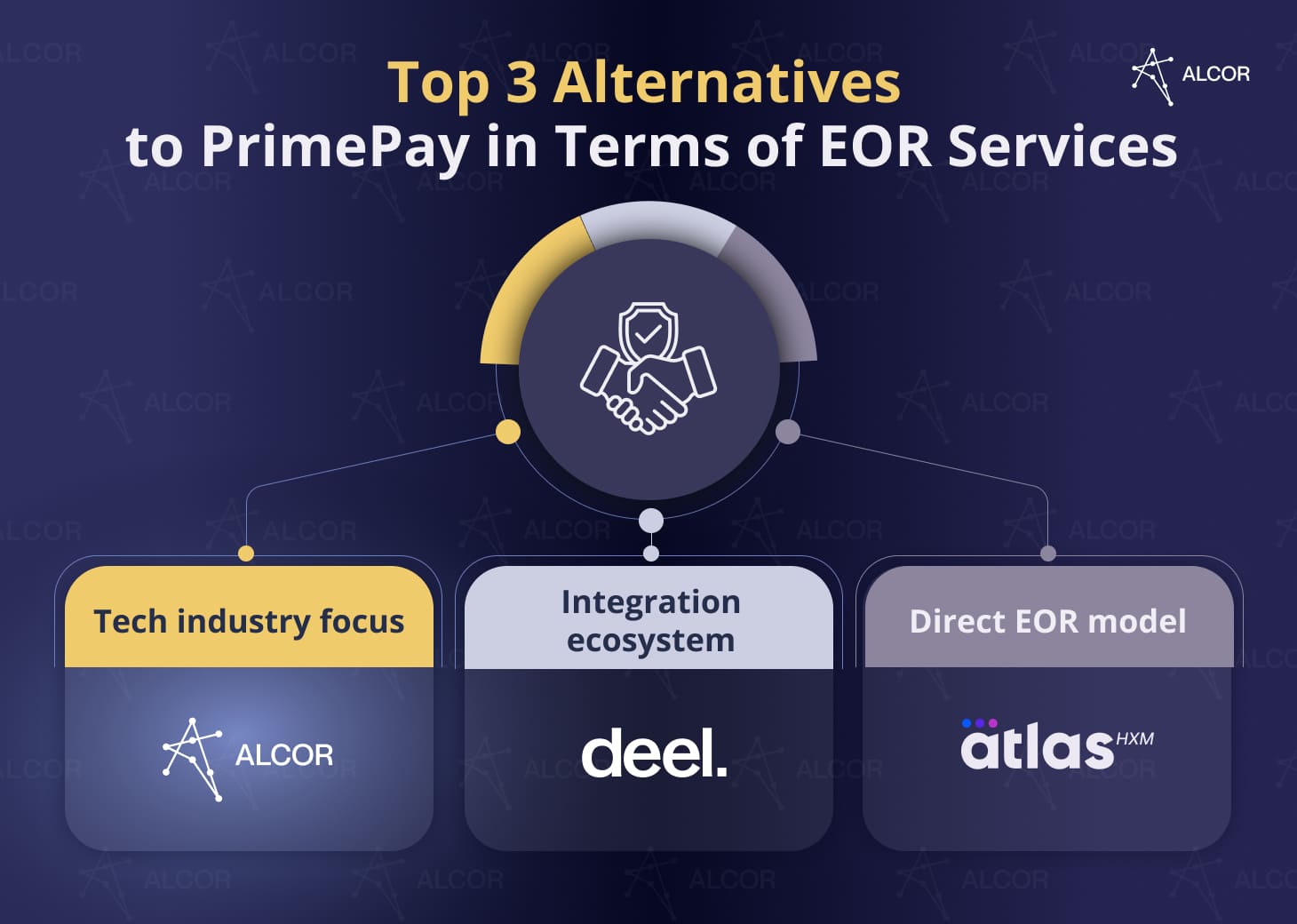
Top 3 Alternatives to PrimePay in Terms of EOR Services
PrimePay is not an Employer of Record provider. Companies needing global or cross-border EOR require a dedicated partner:
- Alcor serves US tech product companies exclusively, bundling IT recruitment, EOR, Contractor of Record, and full operational support – with teams built in Eastern Europe and LATAM, no entity setup required, and no buyout fees.
- Deel covers 150+ countries with direct entity ownership in 90+ markets, offering EOR, contractor management, equity administration, and 90+ integrations in one platform.
- Atlas HXM operates as a direct EOR through fully owned legal entities in 160+ countries – no third-party intermediaries – with immigration support in 75 countries and flat-rate pricing from $599/month per employee.
As established earlier, PrimePay is not an Employer of Record provider. Its payroll and compliance tools are US-only and do not support international hiring. Companies looking for dedicated EOR services – whether exploring offshore payroll services or hiring across multiple markets simultaneously – may need a purpose-built EOR partner.
Alcor
Best fit for: US tech product companies that want to scale high-performing engineering teams in Latin America and Eastern Europe.
Key differentiator: niche tech focus
Alcor is a software R&D center partner that operates exclusively for tech product companies. Unlike standard EOR providers that handle legal employment but not recruitment, or staffing firms that place candidates but don’t employ them, Alcor bundles IT recruitment, Employer of Record, Contractor of Record, and 360° operational support under one engagement. According to Alcor’s public positioning, the model is designed for companies that want to “build tech teams from 0 to 30 engineers in 90 days in a new location” without entity setup, vendor fragmentation, or long-term lock-in.
What the model delivers:
- IT recruitment: Alcor states it sources top-10% engineers through 40 in-house tech recruiters and a verified database of 325,000 candidates in 2-6 weeks, with 1 offer-ready candidate guaranteed from every 8 CVs submitted.
- Employer of Record: According to Alcor’s positioning, the EOR in Latin America and Eastern Europe provides a 100% legal shield and compliance – covering onboarding and offboarding, payroll and accounting, benefits management, and tailored employment contracts; each developer onboarded in 10 business days.
- Contractor of Record: Alcor states it also covers compliant contractor engagement – handling contract structuring, payments, and local compliance for companies that need flexible staffing alongside their permanent team.
- Full operational support: Procurement and office rent, hardware and IT infrastructure, employer branding, HR services, stock options management, and office lease – managed by Alcor as part of the same engagement.
- Pricing: Custom-based, with no prepayments, buyout fees, or hidden markups; the model is pay-as-you-use, with per-employee costs decreasing as the team grows.
Deel
Best fit for: companies that want to hire, pay, and manage employees and contractors across multiple countries from a single platform – without setting up local entities.
Key differentiator: broad global coverage and wide integration ecosystem.
Deel’s model is built for multi-country hiring at scale. It holds direct entity ownership in 90+ countries and covers contractor management, EOR, and global payroll across 150+ countries through the same platform. The platform’s depth comes from what it layers on top: equity administration, immigration support, and 90+ integrations that connect Deel to a company’s existing HR, finance, and development stack.
What the model delivers:
- EOR: Legal employment in 150+ countries with locally compliant contracts; direct entity ownership in 90+ markets; 2,000+ in-house legal and compliance professionals.
- Contractor management: Compliant contractor onboarding in 150+ countries; automated contract generation, IP protection agreements, compliance verification, and milestone-based payment.
- Global payroll: Multi-currency payroll across 150+ countries; payments in 120+ currencies.
- Equity and immigration: Equity administration in 110+ countries; visa and immigration support in 25+ countries.
- Integrations: 90+ native integrations including QuickBooks, BambooHR, NetSuite, Workday, Jira, and Slack.
- Pricing: $49/month per contractor; $599/month per full-time EOR employee.
Atlas HXM
Best fit for: organizations expanding globally that need a single point of legal accountability across every market they hire in – with no third-party intermediaries involved.
Key differentiator: direct EOR model through fully owned entities in 160+ countries
Atlas HXM describes itself as the “pioneer of the direct Employer of Record model.” They state that every country in its network is served through a fully owned legal entity – no partner networks, no subcontractors. That means one contract, one invoice, and one party bearing the employer-of-record liability across all markets. Its HXM platform covers the full employee lifecycle from onboarding to offboarding, alongside workforce analytics and immigration support.
What the model delivers:
- EOR: Legal employment through fully owned entities in 160+ countries; no third-party dependencies; Atlas bears all employer-of-record liability directly.
- Global payroll: Direct payroll processing in local currencies; real-time updates for changes in local employment and tax law; no intermediary layer between Atlas and the payroll execution.
- Visa and immigration: Sponsorship support in 75 countries.
- Learning and development: 9,000+ training courses through Atlas HXM Learning; performance management and employee lifecycle tracking built into the same platform.
- Pricing: From $599/month per employee.
Your journey doesn’t need to stop here. See how Atlas HXM Employer of Record reviews rate the direct model, support responsiveness, and employee experience across real deployments.
Questions you can ask AI about PrimePay reviews:
- What do PrimePay reviews reveal about its payroll accuracy, support quality, and where the platform breaks down as teams grow?
- How does PrimePay compare to alternatives like Rippling, ADP, and Alcor for HR software and EOR services?
- Is PrimePay the right HR platform for a tech company scaling its team, or are purpose-built alternatives a stronger fit?
FAQ
Does PrimePay work for companies with remote or distributed teams across multiple US states?
PrimePay supports multistate payroll and includes multistate tax filing in its base pricing, so it can handle distributed US teams from a payroll compliance standpoint. However, reviewer feedback suggests the platform’s self-service limitations become more pronounced when managing employees across multiple states – adjustments to state unemployment rates or tax configurations typically require contacting PrimePay directly rather than making changes in the system. PrimePay does not support any international employment – remote teams outside the US are not covered.
What is the difference between a PEO and an EOR, and which model is right for a tech startup hiring its first international engineers?
A PEO (Professional Employer Organization) operates as a co-employer – it shares employer responsibilities with the client company, which must typically have an existing legal entity in the state or country where it’s hiring. PEO is primarily a US-domestic model and is offered by providers like ADP.
An EOR (Employer of Record) is the legal employer in the target country, meaning the client company does not need to set up a local entity at all – the EOR handles all employment contracts, payroll, tax compliance, and benefits on the client’s behalf. This model is supported by such companies from the list like Alcor, Rippling, Deel, and Atlas HXM.
For a tech startup hiring its first international engineers without a local entity in place, EOR is the applicable model. PEO is not available in most international markets and requires existing infrastructure. For US domestic hiring only, PEO can offer cost and benefits advantages at scale, but EOR is the correct starting point for cross-border team building.
Can a company start with Alcor’s EOR service for one or two engineers and expand to a full R&D center later – without renegotiating the contract?
Yes – the model is explicitly designed to allow clients to start from EOR for a small number of engineers and scale to a full tech R&D center over time without a fixed package or renegotiation. Alcor operates on a pay-as-you-use model with no preset templates, meaning IT recruitment, operational support, and additional EOR seats are added as the team grows, not bundled upfront. The model also has no buyout fees if the client later decides to insource the team into their own legal entity.
How would you rate this article?
Alcor is Your Trusted Scaling Partner
for expansion
support